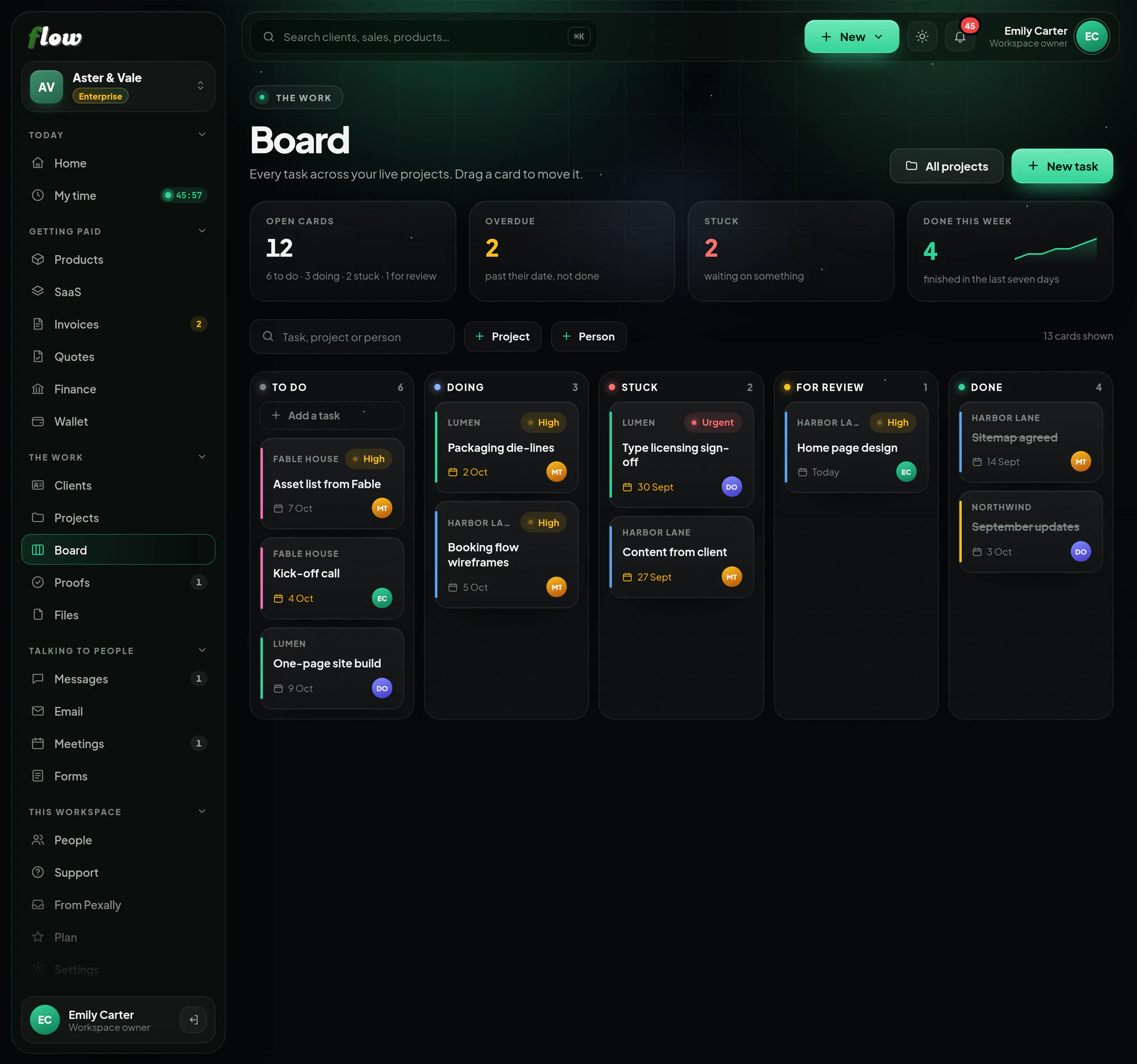
Every task,on one board.
Tasks from every live project in five columns — To do, Doing, Stuck, For review and Done. Drag a card and it moves; narrow the board to a project, a person or just your own work.
Included inFree trialGrowthEnterprise
flow.pexally.com/aster-vale/board
How it works
Board, step by step.
Every task across your projects on one board. These are the same steps you will see inside Flow, in the guide at the top of Board.
- 01Every task, in five columnsTo do, Doing, Stuck, For review and Done — across every live project at once. Archiving a project takes its cards off.
- 02Move a cardDrag it to another column, or use the picker on the card (handy on a phone). It moves for everybody straight away.
- 03Add and findAdd a task at the top of To do. Narrow the board to one project, one person, or only your own cards.
- 04Done tidies itselfCards finished more than two weeks ago step aside. Show them again from the Done column whenever you want.
Why it is better in Flow
What makes Board different.
- All projects, one viewNo switching between boards — every live project's tasks are here.
- Filter by personSee one teammate's cards, or only your own.
- Stuck is a columnWhat is blocked is visible to everyone, not buried in a comment.
- Tidy by itselfFinished cards step aside after two weeks, and come back when you ask.
Questions
About Board.
Does the board replace projects?
It is the working view of them. Tasks belong to projects; the board shows them all together.
Can I use it on a phone?
Yes — every card can be moved with its picker as well as by dragging.
Works with