Track your time,bill it in one press.
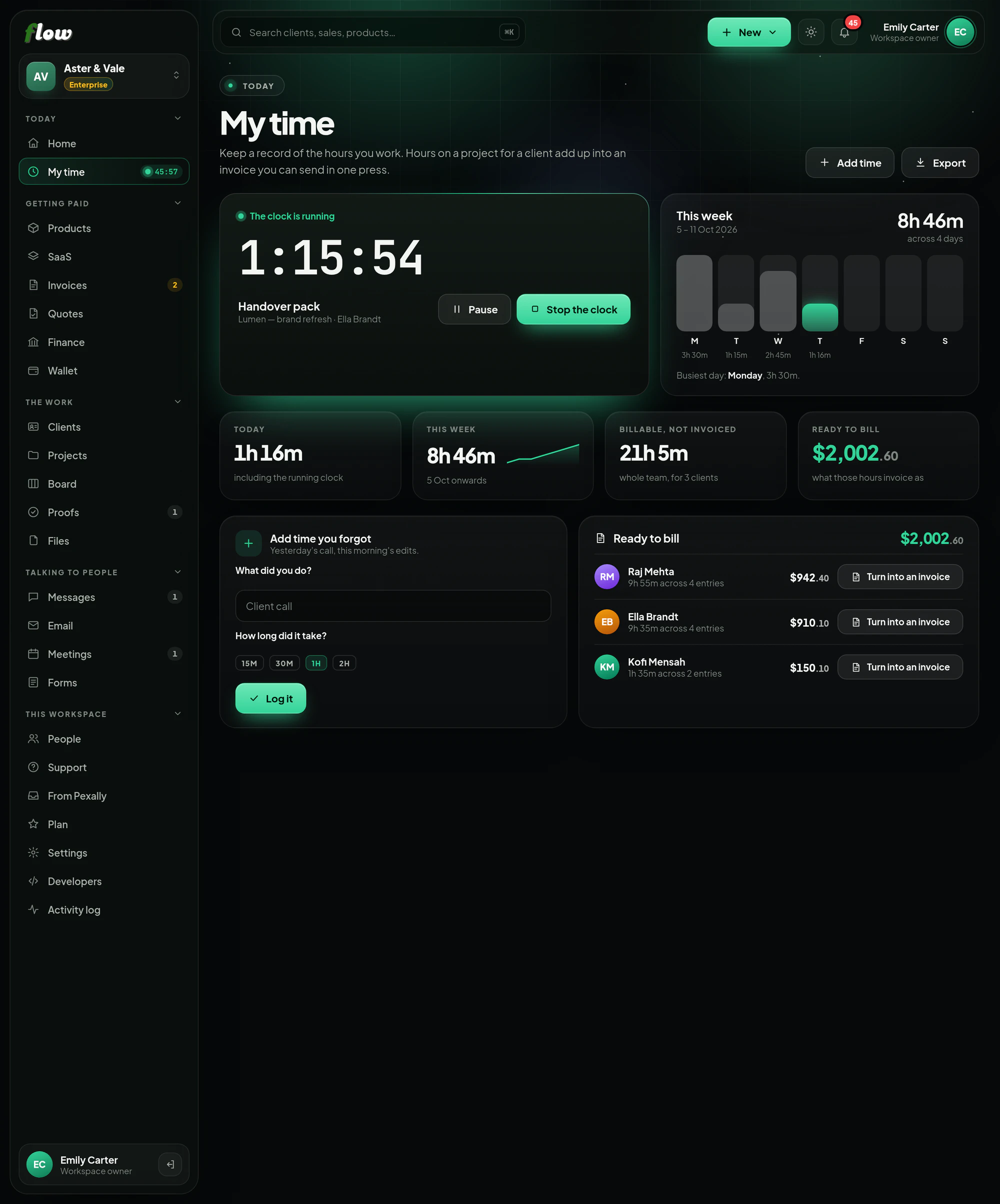
Start the clock when you begin, add the time you forgot, and put it on a project. When you are ready, a client's hours become an invoice in one press.
Included inFree trialGrowthEnterprise
flow.pexally.com/aster-vale/time
How it works
My time, step by step.
A timer and timesheets that turn into invoices. These are the same steps you will see inside Flow, in the guide at the top of My time.
- 01Start the clockPress start when you begin. The running timer stays in the sidebar on every screen, so you can stop it from anywhere.
- 02Or add it afterwardsForgot? Add yesterday's call or this morning's edits under Add time you forgot, in seconds.
- 03Put it on a projectThe project says which client the time is for — that is what lets it be billed. Time without a project is kept, but cannot be billed.
- 04Check your weekHours by day, what is billable, and what has not been invoiced yet.
- 05Turn it into an invoiceReady to bill brings together the hours your whole team logged for a client and turns them into an invoice in one press.
Why it is better in Flow
What makes My time different.
- A clock that follows youThe running timer shows in the sidebar on every screen.
- Your week at a glanceHours by day, what is billable, and what has not been invoiced yet.
- Ready to billEach client's unbilled hours, turned into an invoice in one press.
- Forgot to start it?Add yesterday's call or this morning's edits afterwards, in seconds.
Questions
About My time.
Can I track time without a project?
Yes, but only time on a project can be billed — the project says which client it belongs to.
Does my team's time count?
Yes. Ready to bill brings together the hours the whole team logged for a client.
Works with