Forms that turn answersinto clients.
Build a form by dragging questions in, publish it, and share the link anywhere. Every answer is emailed to you, and anyone who leaves an email becomes a client.
Included inFree trialGrowthEnterprise
flow.pexally.com/aster-vale/forms
How it works
Forms, step by step.
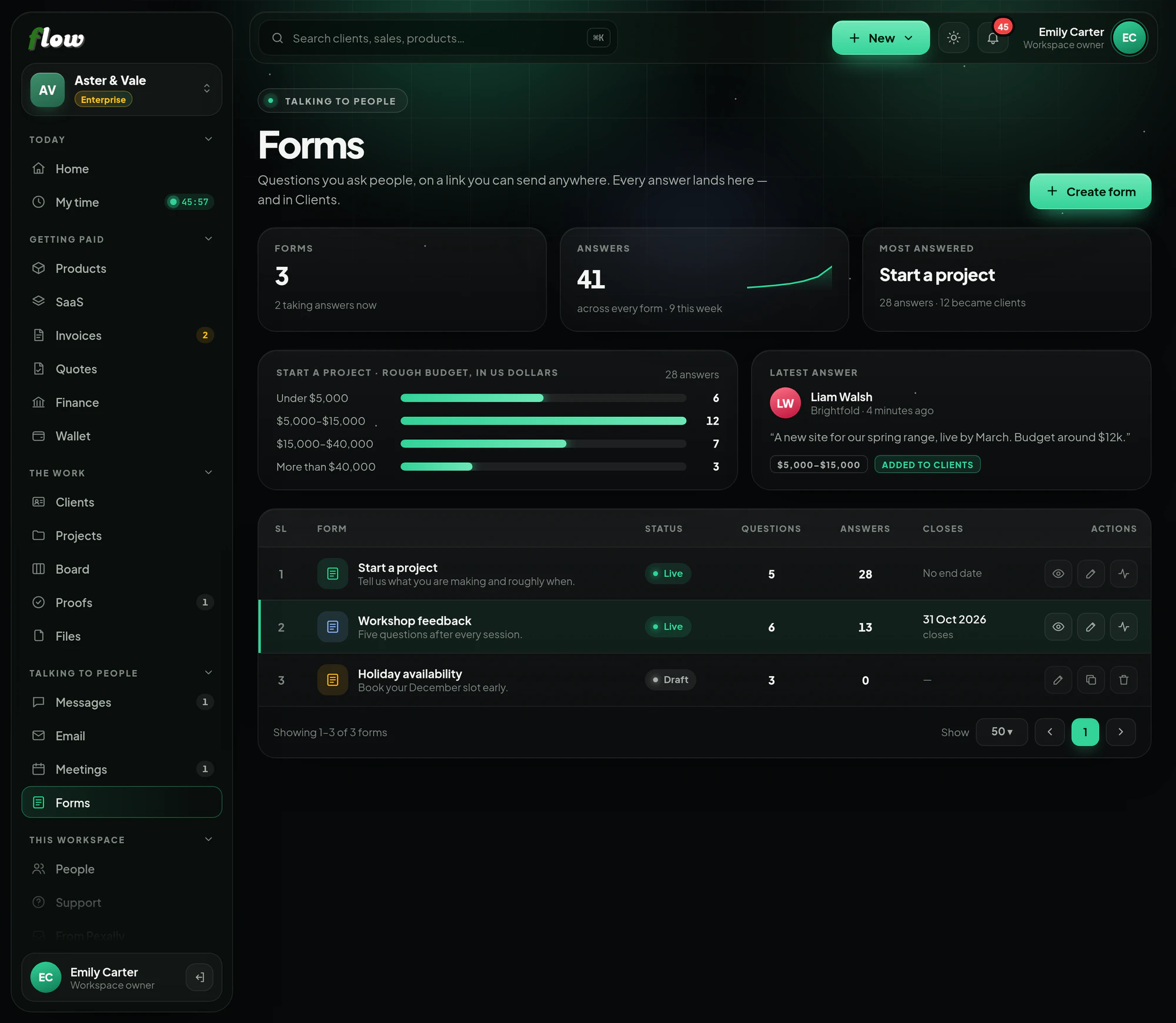
Forms and questionnaires with answers in one place. These are the same steps you will see inside Flow, in the guide at the top of Forms.
- 01Pick a starterBegin from a ready-made form — contact, project enquiry, feedback, event sign-up, onboarding — or an empty one.
- 02Build itDrag questions in, reorder them and watch the live preview. Show it all on one page, or one question at a time.
- 03Publish and sharePublish, then copy the link anywhere — your site, an email, a bio. Nobody needs an account to answer, and you can set a date it closes.
- 04Get toldYou get an email for each answer, the person gets a copy of what they sent, and they can join your email list if they choose.
- 05Work the answersRead each answer, see a summary of the choices, and download everything to Excel. Anybody who leaves an email becomes a client.
Why it is better in Flow
What makes Forms different.
- Ready-made startersContact, project enquiry, feedback, event sign-up and onboarding forms, ready to edit.
- Live previewSee exactly what people will see as you build, on one page or one question at a time.
- Grow your listPeople can join your email list as they answer — with their permission.
- Answers to ExcelA summary of every choice, and every answer downloadable in one file.
Questions
About Forms.
Do people need an account to answer?
No. They open the link and answer.
Can I close a form?
Yes — give it a date it closes, or close it yourself.
Works with